Mix YouTube like a Pro.
Seamless crossfades, precise cue points, and professional audio filters right in your browser.
Everything you need to mix.
DJ-Style Mixing
Smoothly crossfade between YouTube tabs with 5s or 10s transitions.
Cue Points
Set and load precise timestamps instantly.
Audio Filters
Professional HP/LP filters for clean transitions.
Visual Feedback
Real-time visualization shows you exactly what's happening with incoming and outgoing tracks.
Auto Cross-Fading
The audio engine handles volume curves automatically for a perfect mix every time.
Cloud Sync
Your cue points follow you across devices.
A pro interface for your browser.
Mix Mode - to mix your songs with automix
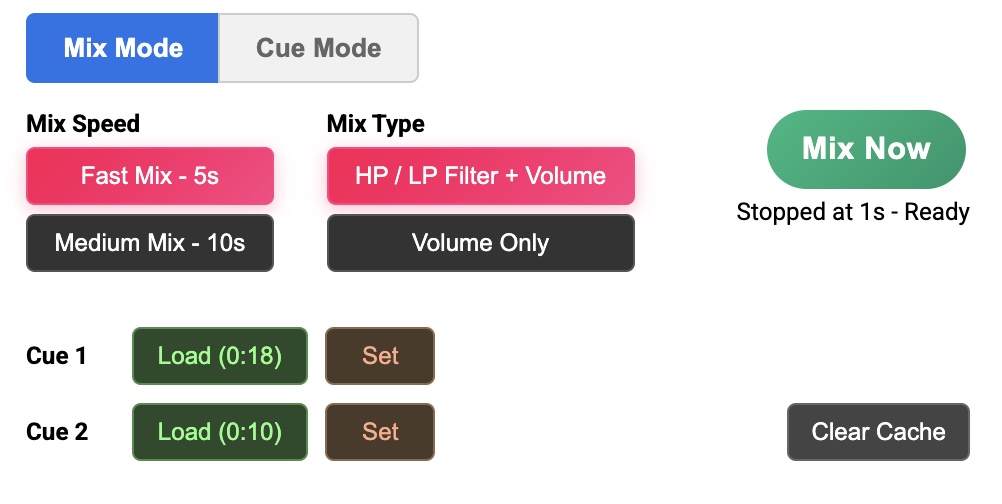
- In Mix Mode, New Songs and Tabs will load in stopped state
- In case Cue 1 exists, the cue point will be set to that position
- In case there is a Mix Speed saved with Cue 1, that will be loaded
- We are ready to Mix!
- Click 'Mix Now' to mix the song in current tab. All other tabs will fade out automatically
- The mix will 'rewind' smartly to a previous video position based on Mix Speed (e.g. 5s) so that when the mix finishes, the new audio is at 100% volume at the end of mix period
Cue Mode - to cue and prep your songs
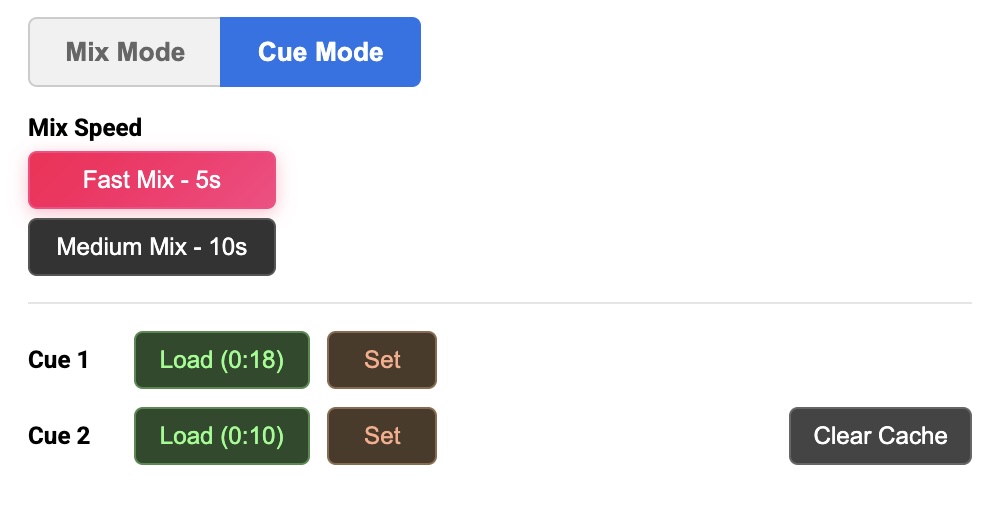
- In Cue Mode, videos will start the Playback normally, unlike Mix Mode
- Cue 1's position is used for auto-mix - set this to the main verse or drop point
- Depending on the audio before the Cue point, you can choose a default Mix duration of Fast or Medium.
- Suggestion would be to use Fast Mix for 'loud' or 'busy' or 'drum-heavy' pre-cue sections
- Use Medium mix for soft music or music that build's up for pre-cue section
- When the video is mixed, the tool will 'rewind' smartly to a previous video position based on Mix Speed (e.g. 5s) so that when the mix finishes, this cue point is reached, and the new audio is at 100% volume
Playlist Management
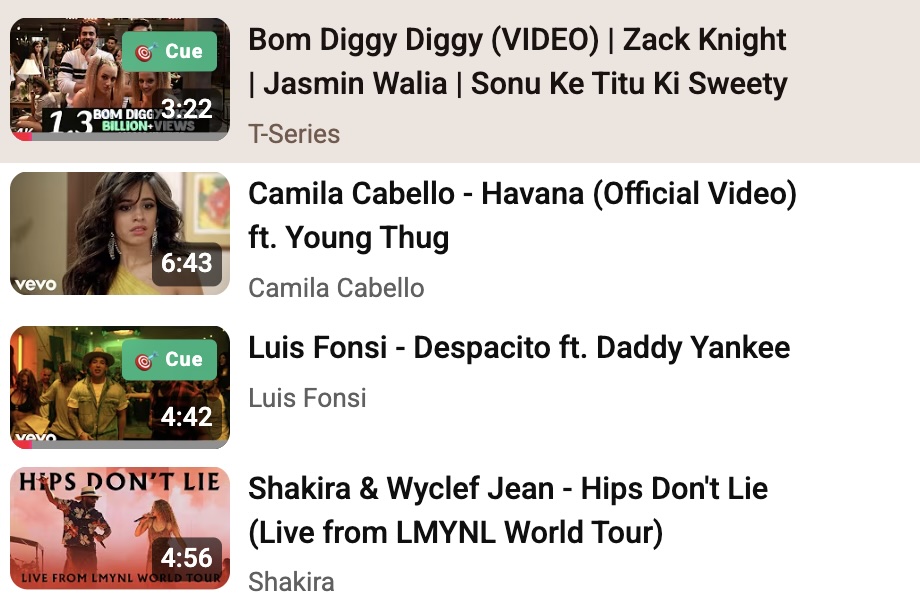
- Use YouTube's native playlists to manage your songs
- In your playlists and other sections of youtube, see songs with previously added Cues
- Loading these videos, will pre-cue the track, and also set the Mix Speed
- To reduce hits to the server the list of videos that have Cues is cached in the browser - in case of any issues, use the Clear Cache button
Get started today.
Early access version available for manual installation.
- Extract the ZIP Unzip the downloaded file to a folder on your computer.
-
Open Extension Settings
Go to
chrome://extensions/in your address bar. - Enable Developer Mode Toggle the switch in the top-right corner.
- Load Unpacked Click the button and select the extracted folder.
Chrome may show a warning for extensions not from the Web Store. This is normal for developer mode installations.